CPU#
Some useful links to explain the concepts of CPU processing
Concepts#
https://www.slashroot.in/difference-between-process-and-thread-linux
http://blog.scoutapp.com/articles/2009/07/31/understanding-load-averages
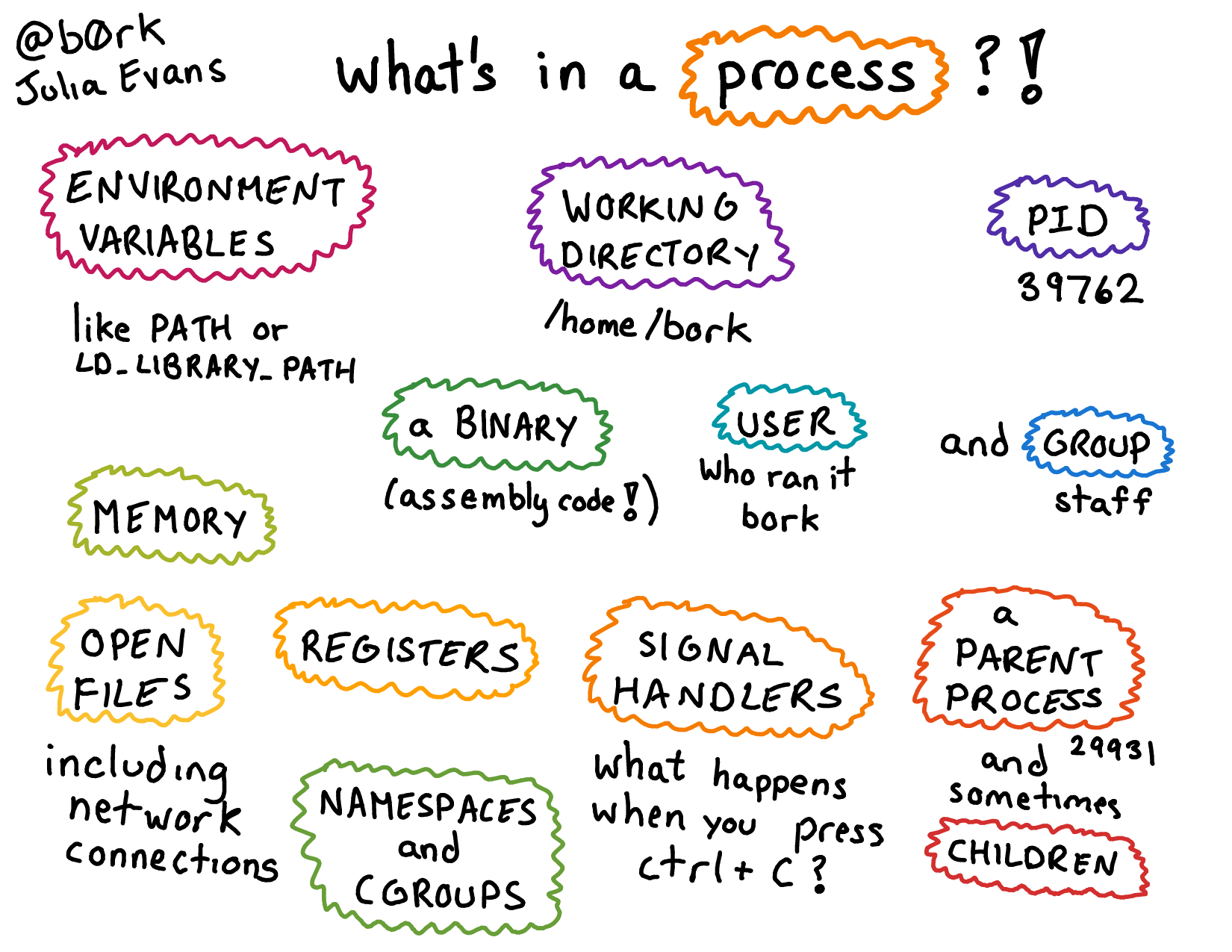
Types of Processes#
Output of ps command - Explained#
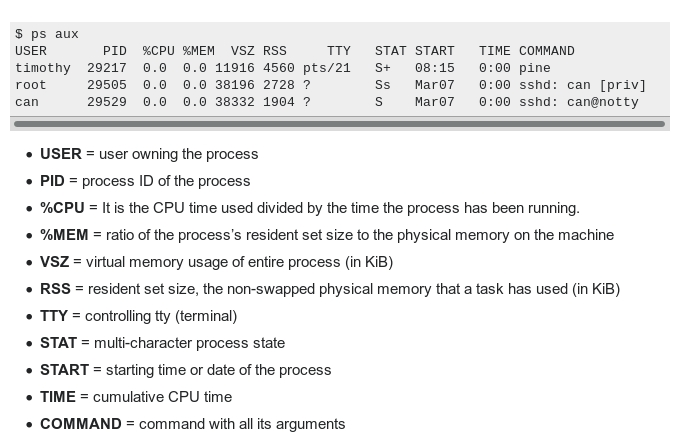
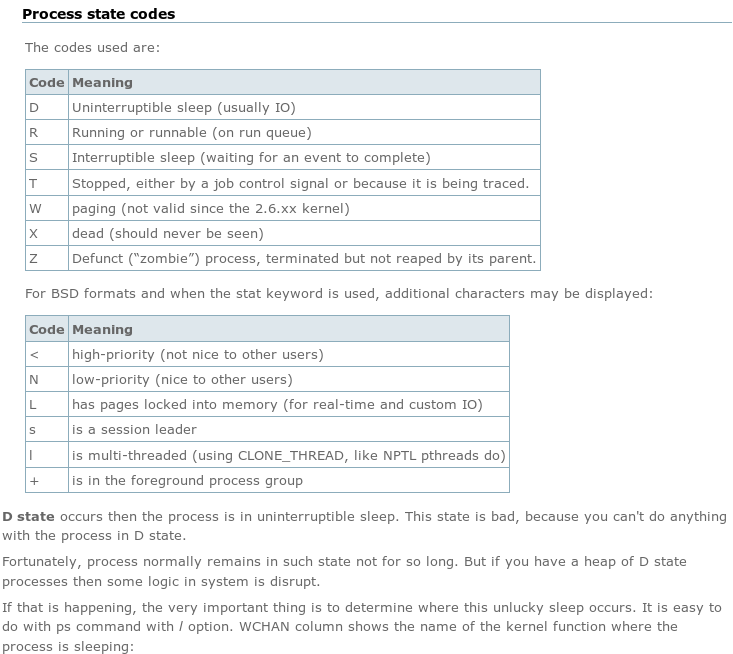
Commands#
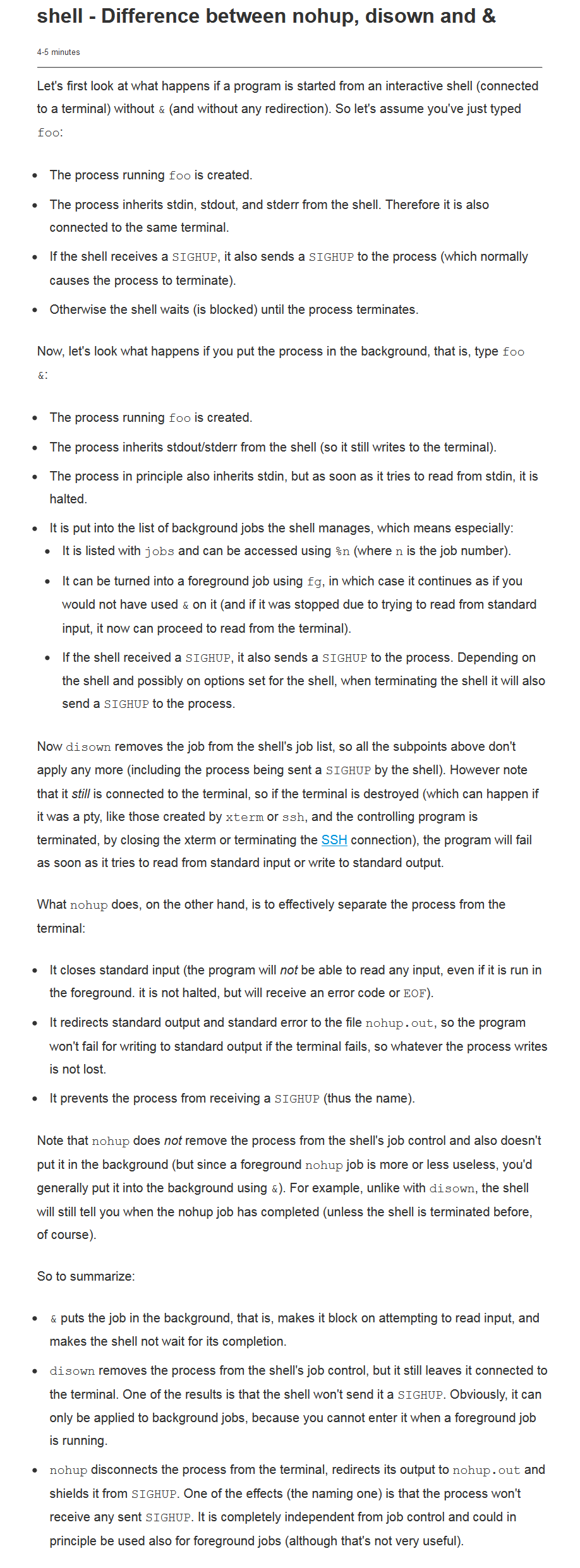
NoHUP &#
https://stackoverflow.com/questions/15595374/whats-the-difference-between-nohup-and-ampersand
https://unix.stackexchange.com/questions/3886/difference-between-nohup-disown-and
top#
http://www.thegeekstuff.com/2010/01/15-practical-unix-linux-top-command-examples/
http://www.slashroot.in/linux-cpu-performance-monitoring-tutorial
http://www.tecmint.com/command-line-tools-to-monitor-linux-performance/
http://tecadmin.net/understanding-linux-top-command-results-uses/
http://linuxaria.com/howto/understanding-the-top-command-on-linux
http://linoxide.com/linux-command/linux-top-command-examples-screenshots/
http://www.dowdandassociates.com/blog/content/howto-troubleshoot-with-linux-top-command/
http://www.linuxjournal.com/magazine/hack-and-linux-troubleshooting-part-i-high-load
http://www.crucialp.com/resources/tutorials/server-administration/server-loads-explained-linux-unix/
https://haydenjames.io/use-atop-linux-server-performance-analysis/
https://alvinalexander.com/linux/unix-linux-process-memory-sort-ps-command-cpu
SAR#
http://linoxide.com/linux-command/linux-system-performance-monitoring-using-sar-command/
http://www.slashroot.in/examples-using-sar-command-system-monitoring-linux
http://www.blackmoreops.com/2014/06/18/sysstat-sar-examples-usage/
http://linoxide.com/linux-command/linux-pidstat-monitor-statistics-procesess/
http://www.yourownlinux.com/2014/08/sar-command-in-linux-tutorial-with-examples.html
http://www.cyberciti.biz/open-source/command-line-hacks/linux-monitor-process-using-pidstat/
Nice / Renice / IOnice#
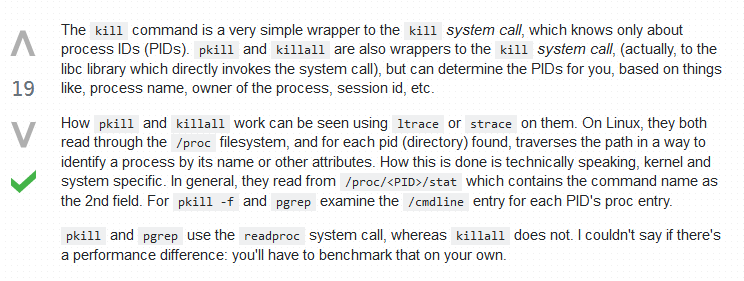
KILL#
http://www.thegeekstuff.com/2012/03/linux-signals-fundamentals/
https://www.quora.com/What-is-the-difference-between-Kill-and-Kill-9-command-in-Unix
http://www.cyberciti.biz/faq/unix-linux-killall-command-examples-usage-syntax/
HTop#
Visual representation of all HTop parameters#
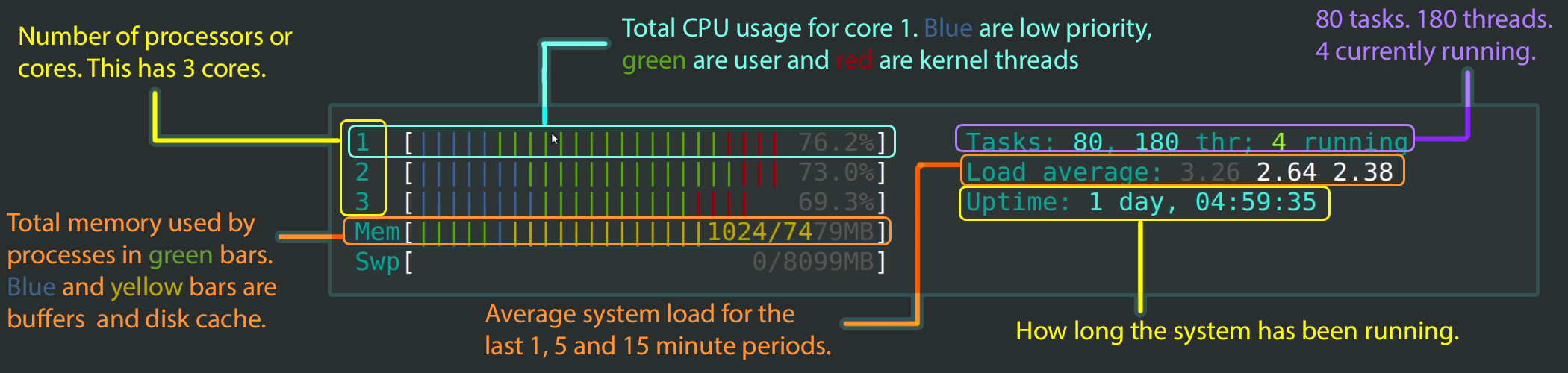
HTop command - Explained#
SysDig#
Configuration#
Troubleshooting & Log Parsing#
Find the most number of processes running on the system
1sudo ps -AL --no-headers | awk -F: '{print $3}' | cut -d' ' -f2 | sort | uniq -c | sort -n | tail -10
Check for zombie processes with PPID
1sudo ps axo stat,ppid,pid,comm | grep -w defunct
View Column Headers in ps output
1sudo ps aux | head -1 && sudo ps aux | grep <process-name> | grep -v grep